Deleting your account from Testosaur.
To delete your account, follow the instructions below:
1. Login to your account
2. Go to "Settings" > "Account" > "Delete account"
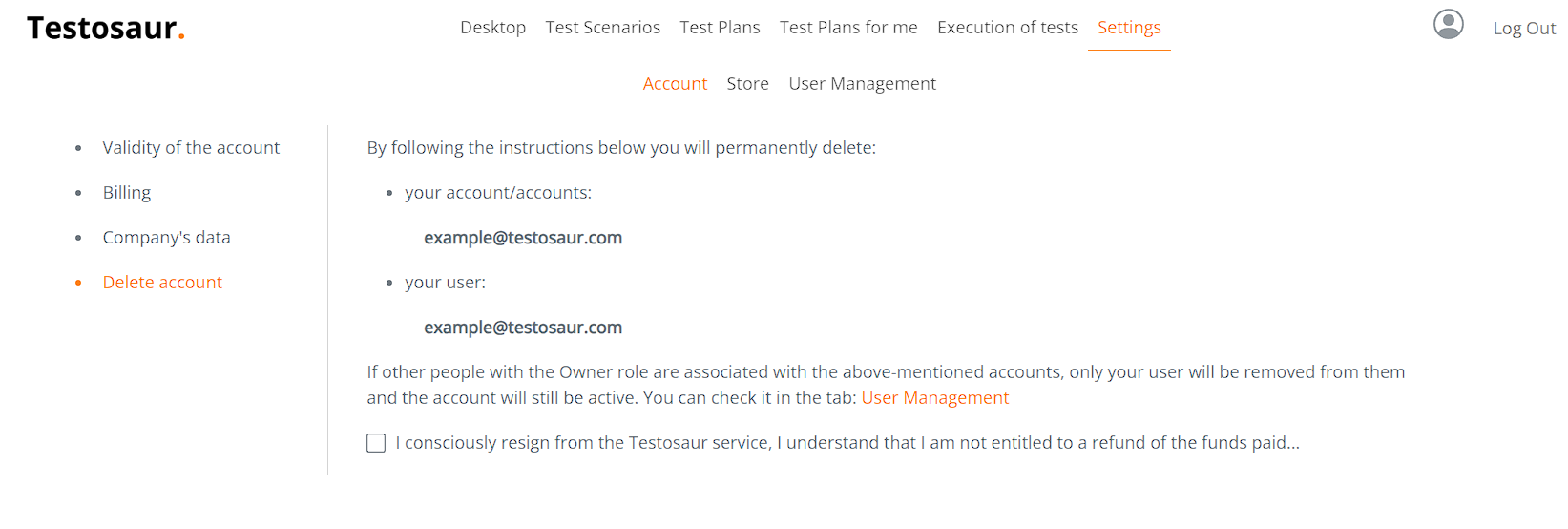
3. Once you confirm checkbox, a screen will appear:
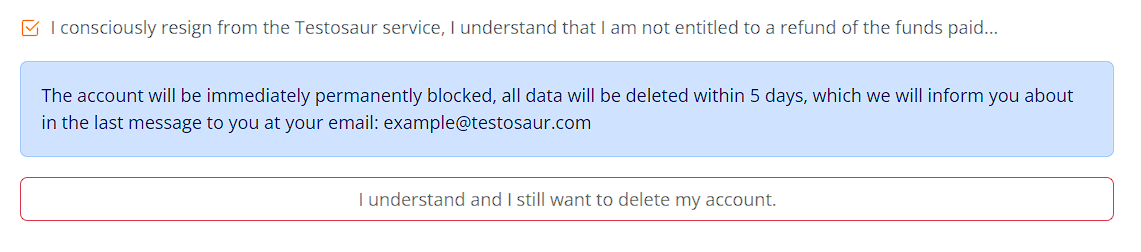
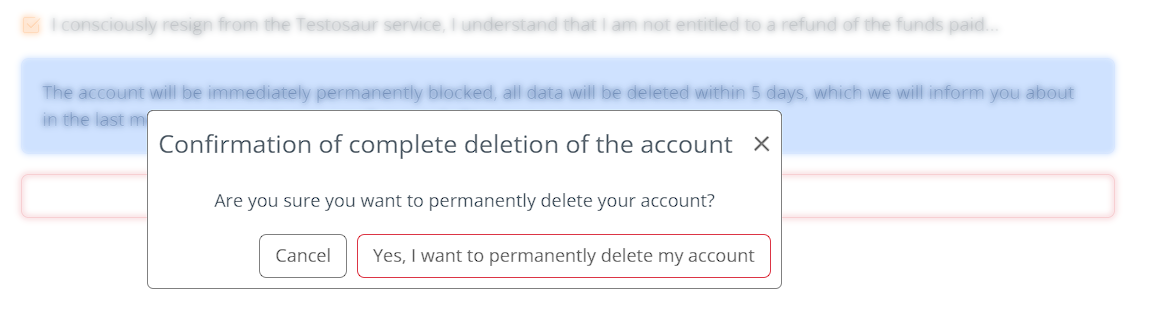
4. Then you will see one more final confirmation - after you confirmed that, the account will be permanently deleted.
If you have any doubts or you're not satisfied with our services, please contact us using the contact form at our home page.
Go to contact form