Automated tests without writing code
In Testosaur an automated test case is built from ready steps such as open a page, type text or click. Playwright runs it in a real browser and saves a screenshot of every step. Automated and manual test cases live in the same scenarios and the same test plans.
How an automated test case is built
- Add the address of the application under test in Settings → URLs. Tests run only on confirmed addresses.
- Create a test case and switch its type to automatic. Choose the start address.
- Add steps from the list: open a page, click, double click, type text, clear a field, select an option, check or uncheck, hover, press a key, wait for an element, wait a number of milliseconds, check that an element is visible or hidden.
- Point each step at an element by CSS, XPath, visible text, test id, role, label or placeholder.
- Add success criteria: all steps passed, the final address equals or contains a value, an element is visible, a text is on the page, no errors in the browser console, the run is shorter than a limit.
The editor shows the Playwright script that Testosaur generates from the steps, so a developer can read exactly what will run.
Running and checking results
- From the editor: run the whole test case, or only up to a chosen step while you build it.
- From a test plan: mark the plan as able to run automatic tests and run one test case or every automatic test case of a scenario. The result sets the test case status in the plan, like a tester would.
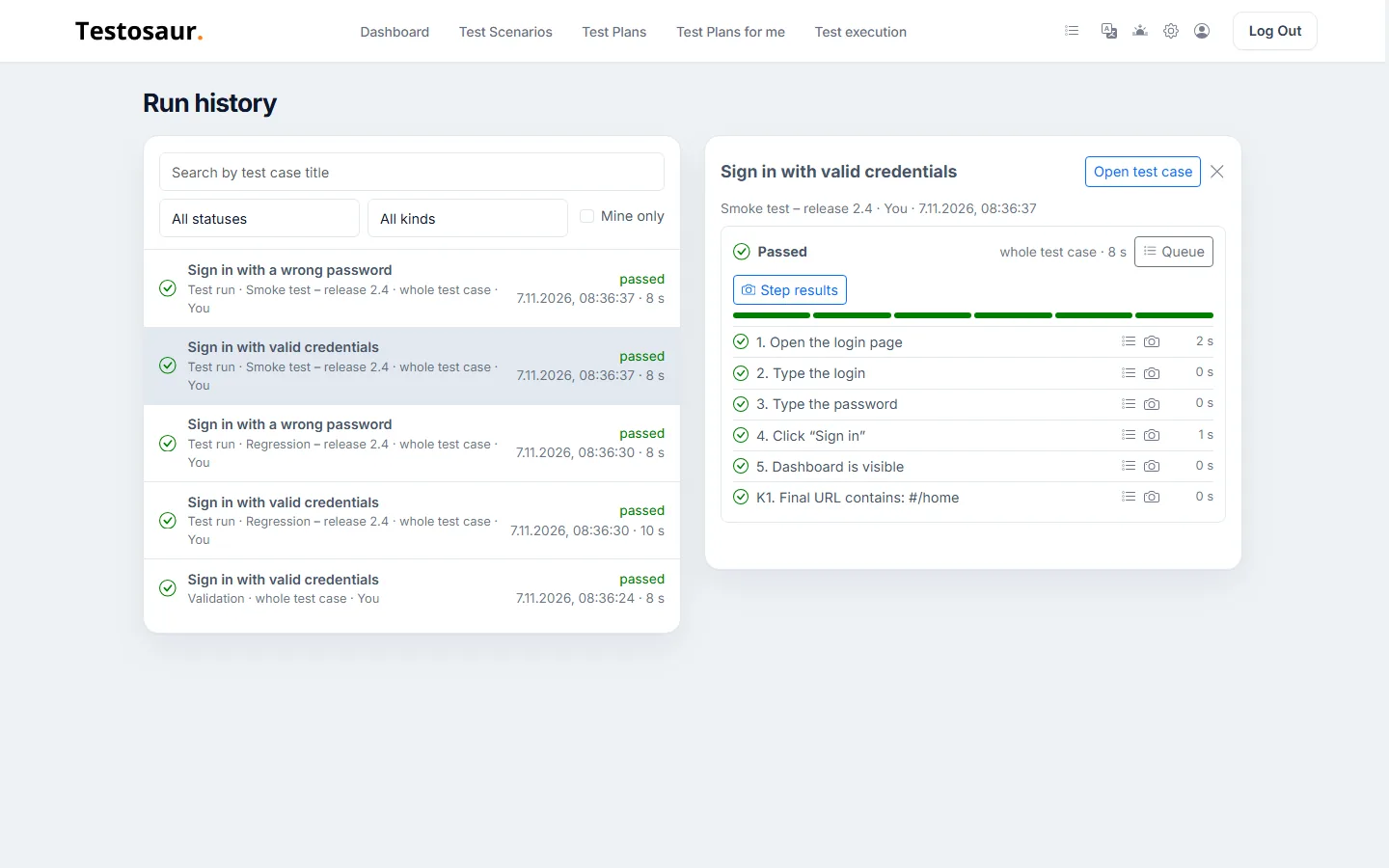
- Step results: every step has its status, duration and screenshot. For a failed step you see the error, the page HTML and the values of form fields at that moment.
- Run history: all runs of the account in one list, filtered by status, kind and your own runs.
Test data in automated steps
A "type text" step can take its value from a test data source, for example a new valid PESEL or NIP number in every run. The run keeps the values it typed, so a failure can be repeated.
Queue and limits
- Runs from the test case editor wait in a shared queue with other accounts, up to 20 runs per account per day, and each run has a time limit.
- Runs from test plans use the run slots of your subscription.
- Screenshots and saved pages count toward the account's storage.
Try Testosaur on your own project.
Start free